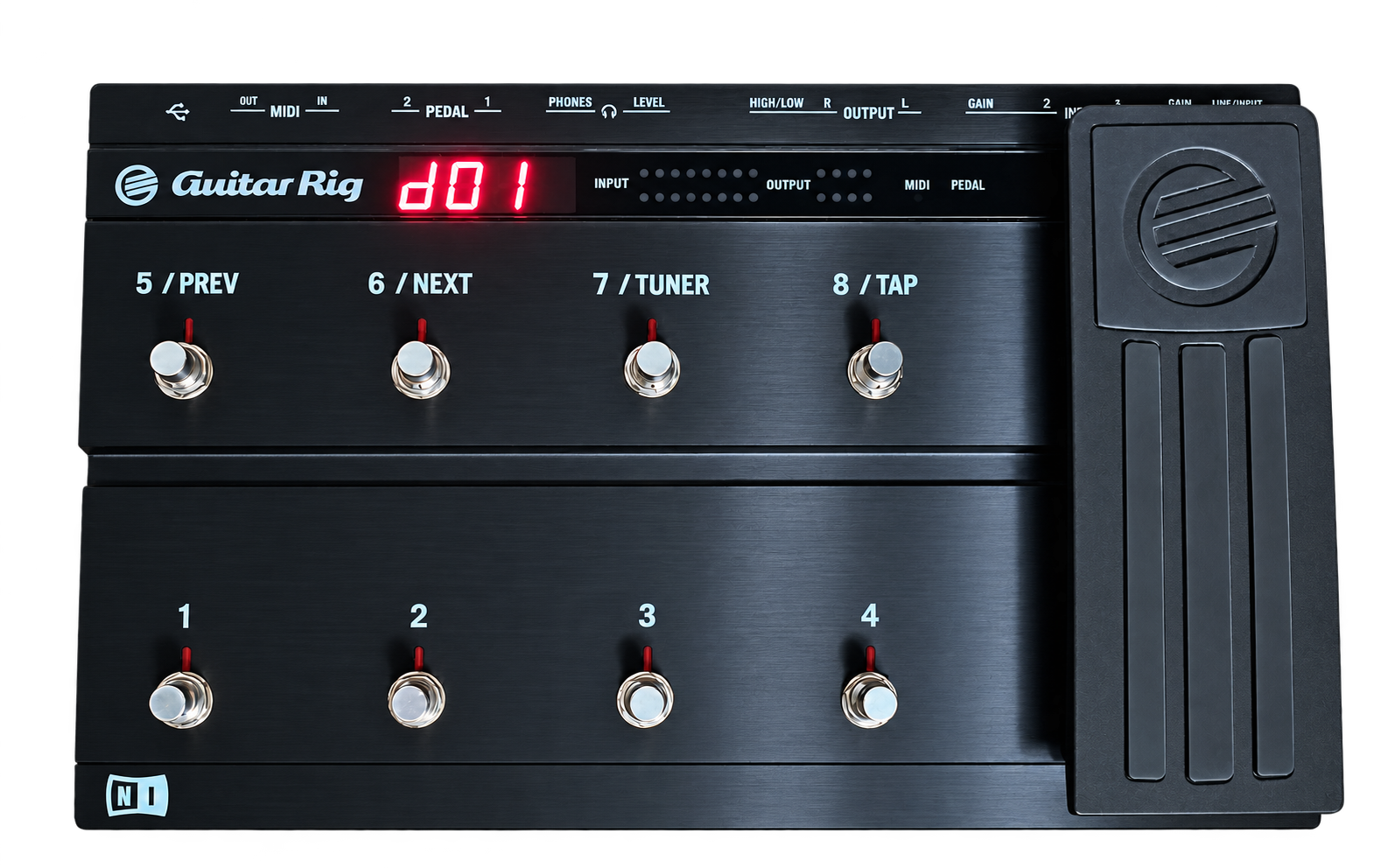
RIG KONTROL 3. BACK IN PLAY.
Your Rig Kontrol 3.
Back in play.
NeuStomp MIDI. More than a Mac driver.
Choose each MIDI switch’s message, channel and output.
Save your own presets. Made for your Apple silicon Mac.
NeuStomp MIDI 1.0.0 (31) · Apple silicon.
No card or automatic charge. One-time licence: €39 including applicable tax.
MIDI control only; RK3 audio is not included.
Hover to pause. Click the image or use the dots to browse.
One pedal. Your whole MIDI setup.
Control multiple apps and hardware instruments from a single preset. Start a loop in Ableton, switch an effect in AmpliTube, or change a synth sound — all with your feet.
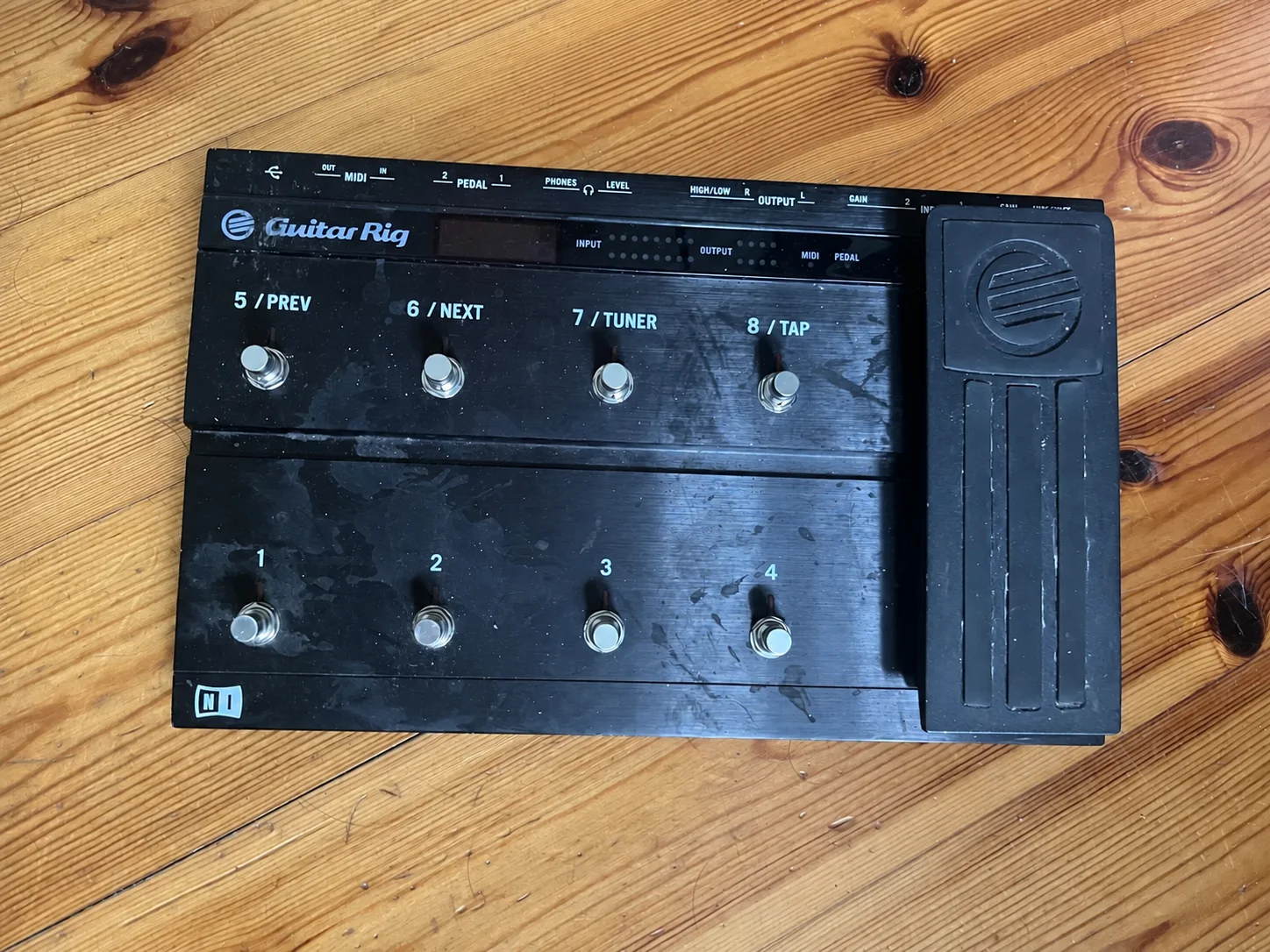
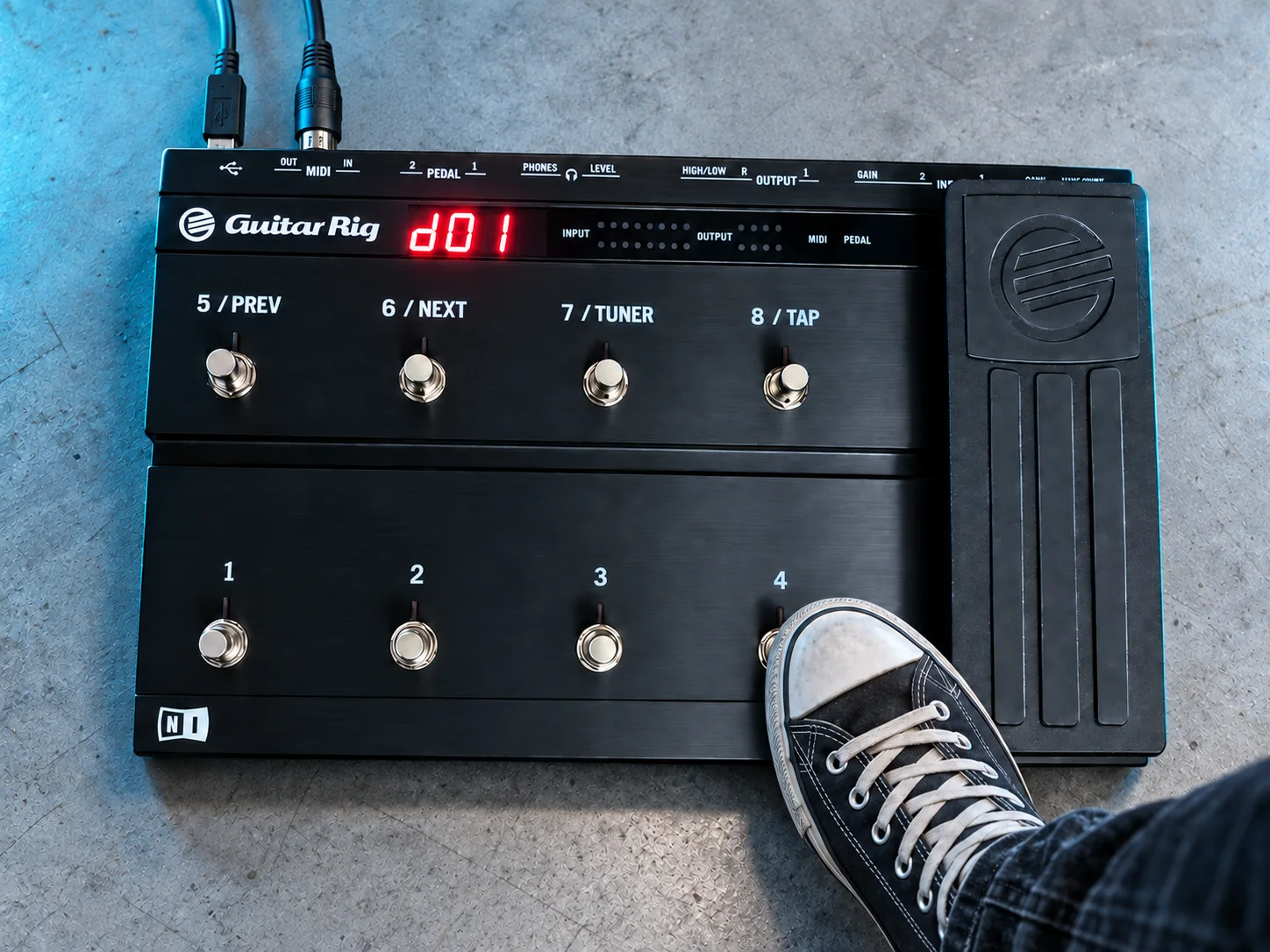 BEFOREBACK IN PLAY
Drag to compare. Revived image is an illustrative concept; physical restoration is not included.
CONFIGURE YOUR CONTROLS
Choose what each
switch sends.
Eight footswitches, a toe switch and the integrated expression pedal. Configure each MIDI switch individually: CC, Note or Program Change, with its own channel and output — your Mac, the physical MIDI OUT, or both.
Use momentary or toggle behavior for CC and Note controls. Give the expression pedal its own CC, channel and output. Save your assignments together as a preset.
Check your setupDYNAMIC & STATIC
Two modes.
The choice is yours.
Step between layouts from the pedal,
or keep all nine switches available for MIDI.
Dynamic and Static are preset modes. Both have an Edit view for configuration and a Live view for playing. Switching views keeps the same preset active.
A new preset.
A new pedalboard.
Reserve one switch for NEXT, with PREV optional, to step through your Dynamic presets. The remaining switches are available for MIDI control.
Put your layouts in set order. One step changes the switch names, MIDI messages, channels and destinations for the next song or setup.
Keep every switch
for your controls.
Choose a Static preset in the app and keep all nine switches available for MIDI, including the toe switch. No switch is reserved for preset navigation.
The Hardware Synth example gives each switch a sound name such as Moog Bass or Warm Pad and a different Program Change through MIDI OUT. Match the channel and program numbers to your synth; the sound names are illustrative.
Current app views with example presets. Receiving software and instruments need their own MIDI setup.
YOUR OWN PRESET LIBRARY
A layout for every song.
And every way you work.
Build a large personal preset library for your songs, sessions and different apps. Create, duplicate and name your presets so the right layout is easy to find.
Import or export individual presets, a Dynamic setlist or your whole library. Keep a backup or move your layouts to another Mac.
Try changing a whole layoutEXAMPLE PRESETS SHOWN IN THE APP
- D01Ableton Live
- Your session controls
- D02AmpliTube
- Your guitar setup
- D03MainStage
- Your performance layout
- S01AmpliTube · FX + Wah
- All nine MIDI switches
- S02Hardware Synth
- Nine programs · MIDI OUT
The screenshots show example custom layouts. The installer includes two Dynamic and two Static defaults. The first in each mode uses RK3 factory MIDI settings; Dynamic reserves buttons 5/6 for PREV/NEXT. Software and third-party licences are separate.
IN YOUR MENU BAR
Runs with the
window closed.
Close the window and NeuStomp MIDI keeps running. Use its menu bar icon to reopen Edit or Live whenever you need it.
COMPACT LIVE
Keep Live in view.
Shrink Live down to its compact layout and switch on Always on Top to keep it above normal app windows. In the smallest view, the switch is labelled Top.
ONE PEDAL. MORE POSSIBILITIES.
Your setup.
Under your feet.
Explore example layouts for music apps and MIDI hardware. Choose a preset, then trace what each control sends.
Interactive examples. These illustrate mappings you can configure, not ready-made app integrations. This web demo sends no MIDI. Choose a preset, trace a route, or start the optional tour.
EXTERNAL MIDI HARDWARE 5-PIN MIDI OUT
4 · Change sound
Not used in this preset
External hardware is not used in this preset.
NEUSTOMP MIDI PRESET
Ableton Live
DAWGuitar Rig
EFFECTSEXP · Wah
QLab
SHOW CONTROL
NeuStomp MIDI
YOUR MIDI CONTROL CENTRECHECK YOUR SETUP
Made for
Rig Kontrol 3.
- Apple silicon Mac · M1 or newer
- macOS 13 Ventura or later
- Rig Kontrol 3 connected to your Mac by USB
- Software or hardware that accepts MIDI control
Use your existing
audio setup.
NeuStomp MIDI does not enable the Rig Kontrol 3 audio inputs or outputs. Use the audio setup provided by your music software, Mac or hardware instrument.
For software, select Rig Kontrol 3 MIDI as the MIDI input. For hardware, connect the RK3’s MIDI OUT to your instrument’s MIDI IN. Keep NeuStomp MIDI running on the USB-connected Mac in both cases.
Try the exact combination of Mac, USB connection and receiving software or hardware you plan to use.
NEUSTOMP MIDI 1.x · FREE TRIAL
Try it with
your own setup.
Seven consecutive days with the MIDI features, preset saving and export included. Choose Start 7-day Trial in the app when you are ready. No card and no automatic payment.
Try free for 7 daysNeuStomp MIDI 1.0.0 (31) · Apple silicon · macOS 13 or later.
Rig Kontrol 3 required. MIDI only; RK3 audio is not included.
ONE-TIME PRICE
€39.00
Including applicable tax.
NeuStomp MIDI 1.x · Up to two activated Macs.
Activate online, then use offline. No subscription.
Ready to keep playing?
Open NeuStomp MIDI and choose Buy NeuStomp MIDI in its License window. This Mac activates automatically after payment is verified.
Already purchased? Open the app’s License window and choose Activate License with the key from your purchase email. Confirm its activation email link on that Mac. Existing activations and saved presets stay in place.
Before you start.
Does choosing a NeuStomp preset change my sound?
A NeuStomp preset changes your control layout. Sound changes depend on the MIDI assignments and the receiving app or instrument. It is not an audio-effects preset.
Do the app names mean automatic integration?
The Ableton Live, AmpliTube and MainStage layouts shown here are examples. Set up MIDI Learn or mappings in the receiving software; its available actions depend on that software and its license. Third-party software is not included.
Can I control a hardware synth without opening a DAW?
Yes. Send messages through the RK3’s physical MIDI OUT and match the synth’s receive channel and program map. NeuStomp MIDI still needs to run on a Mac connected to the RK3 by USB.
When does the trial start, and what happens when it ends?
The seven days start when you choose Start 7-day Trial in NeuStomp MIDI. Internet is required to start it. Your presets are kept when it ends; MIDI operation then needs an activated licence. Choose Buy NeuStomp MIDI in the app for a separate one-time purchase, or activate an existing licence. The trial never triggers a payment, and reinstalling does not restart it.
COMMUNITY FEEDBACK
Your thoughts on NeuStomp MIDI.
Selected feedback, shared with permission.
YOUR FEEDBACK
How did you like NeuStomp MIDI?
Tell me about your experience with NeuStomp MIDI.
What worked well, and what would you improve?